How to Create a Content Cluster [Free Template]
HubSpot grew a client's organic traffic from 500 to 190,000 visitors using content clusters. This guide gives you the exact system: pillar page structure, cluster article templates, internal linking strategy, and a free planning spreadsheet you can copy and use today.
How to create content clusters
How to create content clusters
How to Create a Content Cluster [Free Template]
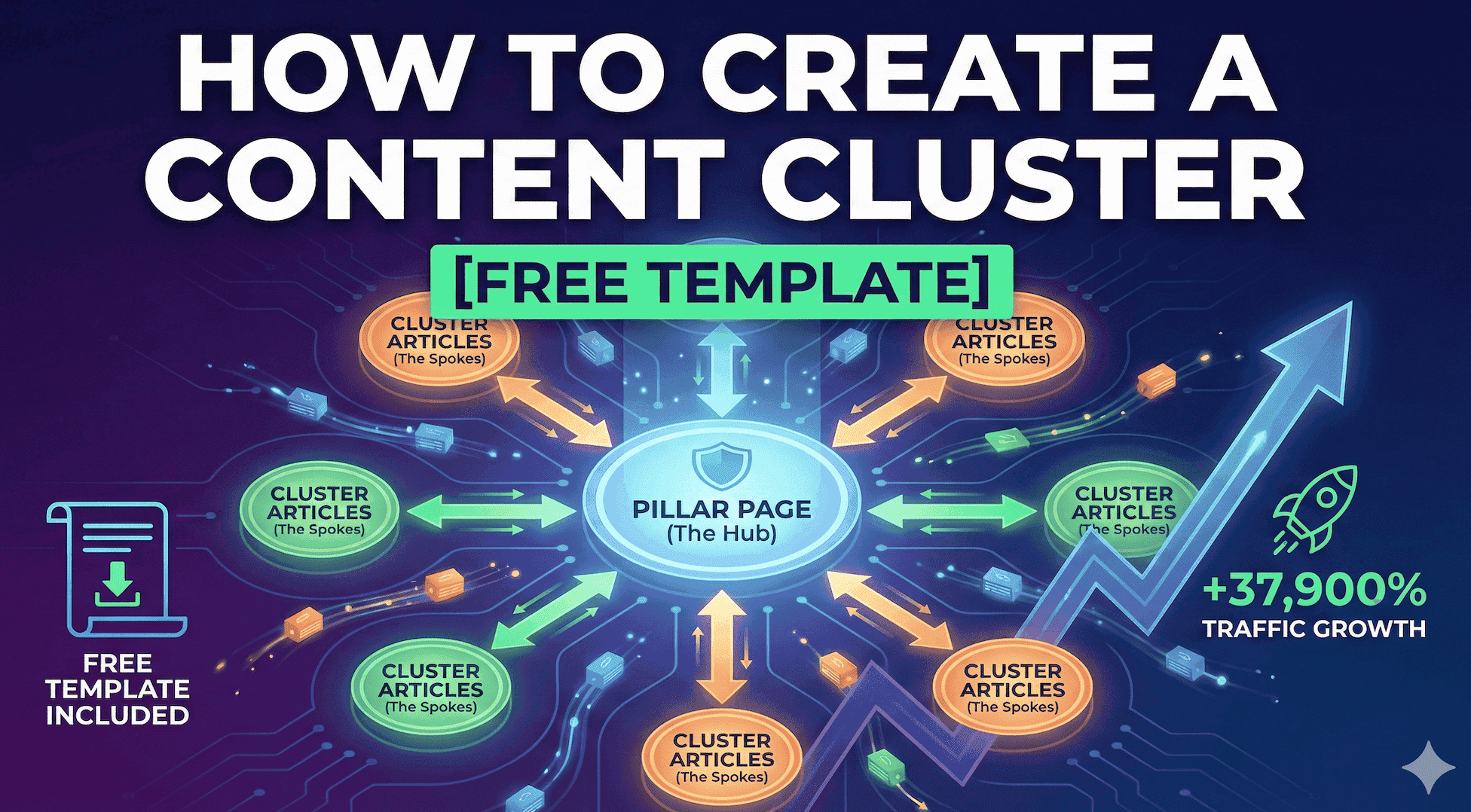
HubSpot grew a client's organic blog traffic from 500 visitors per month to 190,000. That's a 37,900% increase. They didn't buy backlinks or spam keywords. They built content clusters.
This guide gives you that system, plus a free template you can copy and start using today.
What is a Content Cluster?
A content cluster is a content structure where:
One pillar page covers a broad topic comprehensively (2,000-5,000+ words)
Multiple cluster articles dive deep into specific subtopics (1,000-2,000 words each)
All cluster articles link back to the pillar page
The pillar page links out to all relevant cluster content
Why Content Clusters Work
Instead of asking "Does this page rank for this keyword?", Google now asks: "Is this site an authority on this topic overall?"
Content clusters signal authority through:
Topical depth (covering every angle)
Clear internal linking structure
Natural coverage of hundreds of related keywords
The 4 Components of a Content Cluster
1. The Pillar Page
2,000-5,000+ words covering a broad topic
High-level overview of each subtopic (200-400 words max)
Links out to all cluster articles for depth
2. Cluster Articles
1,000-2,000 words on ONE specific subtopic
Links back to pillar (2-3 times per article)
Aim for 10-15 cluster articles minimum
3. Internal Linking Structure
Every cluster → pillar (non-negotiable)
Pillar → every cluster article
Related clusters link to each other (when relevant)
Use descriptive anchor text (not "click here")
4. Topic Relevance
All cluster articles must genuinely relate to the pillar topic. Stay tightly focused.
Step-by-Step: Create Your Content Cluster
Step 1: Choose Your Pillar Topic
Your pillar topic should be:
Relevant to your business
Broad enough for 10+ subtopics
200+ monthly searches
Not too competitive for your site
Step 2: Research and Map Subtopics
Find subtopics using:
Google's "People Also Ask"
Competitor content analysis
Customer questions from sales/support
Document in a spreadsheet: Subtopic | Keyword | Search Volume | Priority | Status
Step 3: Create the Pillar Page First
Pillar page structure:
Introduction (what, why, what you'll learn)
Table of contents
High-level sections (200-300 words each) with links to cluster articles
Conclusion + FAQ section
Step 4: Write Cluster Articles
For each cluster article:
Research the topic thoroughly
Create a detailed outline before writing
Write 1,000-2,000 words with actionable content
Link to pillar in intro and conclusion
Update pillar page with link to new article
Publish 1-2 per week. Build your cluster over 2-3 months.
Step 5: Implement Internal Linking
Linking checklist:
Every cluster links to pillar (2-3 times)
Pillar links to every cluster in relevant sections
Related clusters link to each other
Use descriptive anchor text
Step 6: Measure and Iterate
Track:
Pillar page traffic and rankings
Cluster article performance
Total cluster traffic (combined)
Conversions from cluster content
Quarterly: Update statistics, add new clusters, refresh thin content.
Free Content Cluster Template
Planning Spreadsheet Structure
Tab 1 - Cluster Overview:
Pillar Topic | Target Keyword | Search Volume | Pillar URL | Status | Launch Date
Tab 2 - Cluster Articles:
Subtopic | Keyword | Volume | Priority | Word Count | Status | URL | Links to Pillar?
Tab 3 - Internal Linking Map:
From | To | Anchor Text | Link Type
Tab 4 - Performance Tracking:
Article | Month | Organic Traffic | Keywords Top 10 | Conversions
type: embedded-entry-inline id: 5mRWYNKgG8HZ4kDrDjS8yV
Real-World Examples
HubSpot's Marketing Cluster
Pillar: "The Ultimate Guide to Marketing"
Cluster: 50+ articles (Content, Social, Email, SEO, Video)
Result: Hundreds of thousands of monthly visitors
Ahrefs' SEO Cluster
Pillar: "SEO: The Complete Guide" (10,000+ words)
Cluster: 30+ articles (3,000-5,000 words each)
Result: Dominates "SEO" rankings, 100,000s monthly visitors
5 Common Mistakes to Avoid
Pillar topic too broad - If you need 50+ clusters, narrow it down
Loose topic connections - All clusters must be true subtopics
Not updating pillar with new links - Update after every new cluster article
Weak internal linking - Without links, it's not a cluster
Neglecting after launch - Quarterly refresh is essential
Your Action Plan
This Week:
Choose 1-2 pillar topics
Research and map 10-15 subtopics
Create your planning spreadsheet
Week 2:
Write and publish your pillar page
Months 1-3:
Publish 1-2 cluster articles per week
Update pillar with each new article
Track performance monthly
By month 3: Complete cluster with 12-18 articles driving compound traffic growth.
Sources

Peter Frank
GEO Strategist
Ready to Optimize for AI Search?
Join thousands of marketers who are already using LLMScout to track and improve their performance in AI search results.
Get Early Access